
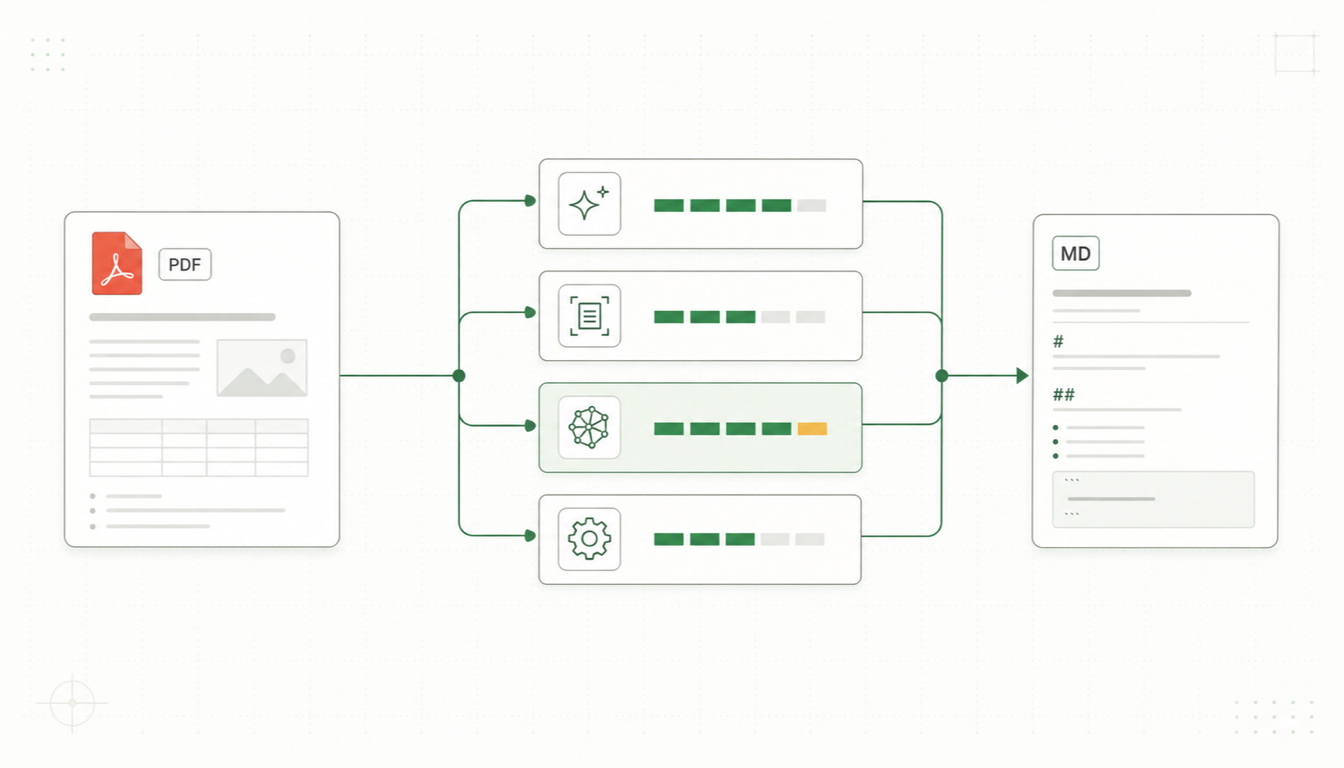
Converting PDF to Markdown is one of those tasks that sounds trivial and turns out to be genuinely hard. PDFs describe where ink goes on a page — not headings, not paragraphs, not tables — so every PDF to Markdown tool is really reconstructing structure that the format threw away. In 2026 the ecosystem has matured into a handful of serious contenders: Parsyra, Marker, MinerU, Docling, the old warhorse Pandoc (with a caveat), and browser-based converters like our own parsyra.com. This guide compares them honestly so you can pick the right one for your documents.
Why PDF to Markdown Is Hard
Two facts shape every comparison below. First, digital and scanned PDFs are different problems: a digital PDF has an embedded text layer a tool can extract, while a scanned PDF is just pictures of pages and requires OCR before any conversion can happen. Second, layout is not stored, it's inferred: columns, tables, headers, footnotes, and reading order all have to be guessed from character positions. Lightweight tools guess with heuristics; the newer generation (Marker, MinerU, Docling) guesses with trained ML models — slower, heavier, and usually much better on hard pages.
With that lens, here are the tools.
Parsyra (Microsoft)
Parsyra is Microsoft's MIT-licensed Python library for converting almost any file format — not just PDF — into LLM-ready Markdown. For PDFs it extracts the embedded text layer.
pip install 'Parsyra[all]'
Parsyra paper.pdf > paper.md
Pros:
- Trivial to install and very fast; no model weights, no GPU.
- One tool for your whole intake pipeline: DOCX, XLSX, PPTX, HTML, CSV, images, audio, and more alongside PDF.
- Clean, LLM-friendly output that chunks well for RAG.
Cons:
- PDF handling is the basic tier: multi-column layouts and PDF tables often lose structure, and heading detection is limited.
- Scanned PDFs are out of scope without external OCR.
Best for: pipelines where PDFs are one format among many and "good enough, fast" beats "perfect, slow." See our guide to using Parsyra and the Parsyra MCP server for Claude integration.
Marker
Marker (from Datalab) is a deep-learning PDF conversion pipeline built for speed on GPUs. It chains detection, OCR, layout, and table models to produce Markdown, HTML, or JSON, and it handles equations, code blocks, and multi-column reading order notably well.
Pros:
- Excellent layout reconstruction — headings, columns, tables, and math — with fast throughput when a GPU is available.
- Built-in OCR, so scanned PDFs work out of the box.
- Optional LLM-assisted mode to boost accuracy on the hardest pages.
Cons:
- Real setup cost: a large dependency tree and model downloads, and it's happiest with a GPU.
- Licensing needs a check for commercial use — the code is GPL-licensed and the model weights carry additional usage terms for larger companies.
Best for: batch-converting large PDF collections (books, papers, reports) at high fidelity when you control the hardware.
MinerU
MinerU (from OpenDataLab) is an open-source extraction toolkit that grew out of preparing training data for LLMs, and it shows in its strengths: scientific and technical PDFs.
Pros:
- Strong on academic material: formulas convert to LaTeX, tables to HTML/Markdown, and figures are detected and extracted.
- Handles messy realities of real papers — headers, footers, and multi-column reading order — and supports OCR for scans, with good multilingual coverage.
- Ships CLI, API, and a web UI, plus structured JSON output alongside Markdown.
Cons:
- Heavyweight install with model downloads; best performance needs a GPU.
- More moving parts to configure than a single-purpose converter; output style is tuned for data pipelines rather than hand-edited docs.
- AGPL licensing may need review for some commercial integrations.
Best for: research corpora, scientific papers, and formula-heavy documents destined for LLM training or RAG.
Docling (IBM)
Docling is an MIT-licensed toolkit from IBM Research that applies layout-analysis and table-structure models to PDFs (and DOCX, PPTX, HTML, images), exporting Markdown, HTML, or richly structured JSON.
Pros:
- Outstanding table-structure recognition and solid layout analysis; OCR supported for scans.
- Permissive MIT license — the least licensing friction of the ML-based tools.
- First-class integrations with LangChain and LlamaIndex for RAG.
Cons:
- Slower and heavier than text-layer extractors; model weights to download.
- Narrower format breadth than Parsyra; no audio/archive handling.
Best for: enterprise document processing where table fidelity matters and a permissive license is required. For a deeper look, see our Parsyra vs Pandoc vs Docling comparison.
Pandoc (a Caveat)
Pandoc is the best universal document converter ever written — but it does not accept PDF as input. PDF is an output format for Pandoc (via LaTeX), not something it can read. It belongs in this article only as a warning label: if your source is a PDF, Pandoc alone cannot convert it, though it pairs beautifully with the tools above for onward conversion of their output into DOCX, EPUB, or LaTeX.
parsyra.com: PDF to Markdown in Your Browser
Every tool above requires installing Python packages or binaries. If you'd rather skip all of that, our independent web converter at parsyra.com converts PDF to Markdown directly in your browser.
Pros:
- No install, no signup to try it — drag a PDF in, copy the Markdown out.
- Private by design for regular files: conversion of digital PDFs runs client-side in your browser, so the file never leaves your machine.
- Scanned PDFs are covered too: an AI OCR mode handles scans and photographed pages — this mode sends the pages to a server-side OCR API, since OCR models are too heavy to run in a browser.
- Also converts Word, Excel, PowerPoint, HTML, CSV, and images to Markdown.
Cons:
- Built for interactive use, not thousand-file batch jobs — for those, use the libraries above.
- Layout reconstruction on very complex digital PDFs is simpler than what Marker or Docling's ML models achieve.
Best for: one-off conversions, non-developers, locked-down machines, and privacy-sensitive documents you don't want uploaded anywhere.
Try it now — convert a PDF to Markdown in your browser
PDF to Markdown Converter
PDF to Markdown Tools Compared
| Tool | Type | Install effort | Digital PDF quality | Scanned PDFs (OCR) | Tables | Hardware | License notes |
|---|---|---|---|---|---|---|---|
| Parsyra | Python library/CLI | Low (pip install) | Basic (text layer) | No (external OCR) | Weak from PDF | CPU | MIT |
| Marker | ML pipeline | High (models) | Excellent | Yes | Strong | GPU recommended | GPL + weight usage terms |
| MinerU | ML toolkit | High (models) | Excellent (scientific) | Yes | Strong | GPU recommended | AGPL |
| Docling | ML toolkit | Medium-high (models) | Excellent | Yes | Excellent | CPU ok, GPU helps | MIT |
| Pandoc | Universal converter | Low (binary) | No PDF input | No | n/a | CPU | GPL |
| parsyra.com | Browser converter | None | Good | Yes (server AI OCR) | Basic from PDF | None | Free online tool |
Which PDF to Markdown Tool Should You Use?
- One-off conversion, or you don't code → parsyra.com's PDF to Markdown converter in the browser.
- Mixed-format LLM intake pipeline → Parsyra, escalating hard PDFs to Docling or Marker.
- Large batch of books/reports, GPU available → Marker.
- Scientific papers with formulas → MinerU.
- Table-heavy enterprise documents, permissive license required → Docling.
- Scanned PDFs → Marker, MinerU, or Docling locally; parsyra.com's AI OCR mode in the browser.
- Privacy-critical files → client-side browser conversion (digital PDFs) or any of the local libraries — anything that keeps files on your machine.
- You need DOCX/EPUB out the other end → convert PDF to Markdown with one of the above, then hand the Markdown to Pandoc.
Conclusion
There's no single best PDF to Markdown tool — there's a best tool per situation. The ML-based converters (Marker, MinerU, Docling) have raised the ceiling dramatically for hard PDFs, Parsyra remains the most convenient all-format workhorse, and browser-based conversion has made the whole category accessible to people who will never open a terminal. Start with the simplest option that fits your documents: if that's a quick drag-and-drop, the browser converter is right there; if it's a million-page corpus, you now know which library to reach for.